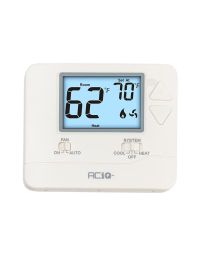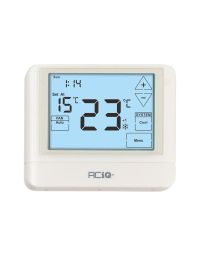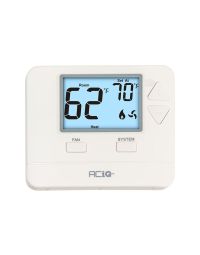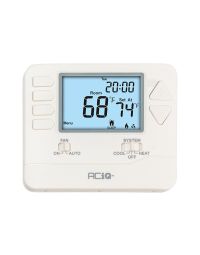
Key Takeaways
- Programmable Thermostats Save Money: When used correctly, programmable thermostats can reduce annual heating and cooling costs by up to $180, according to the Department of Energy.
- Set Proper Schedules: Longer 8-hour dayparts and recommended setpoints (below 70ºF for heating, 78ºF+ for cooling) maximize comfort while minimizing wasted energy.
- Extend HVAC Lifespan: Automating temperature adjustments reduces equipment cycling, lowers wear on components, and helps furnaces and air conditioners last longer.
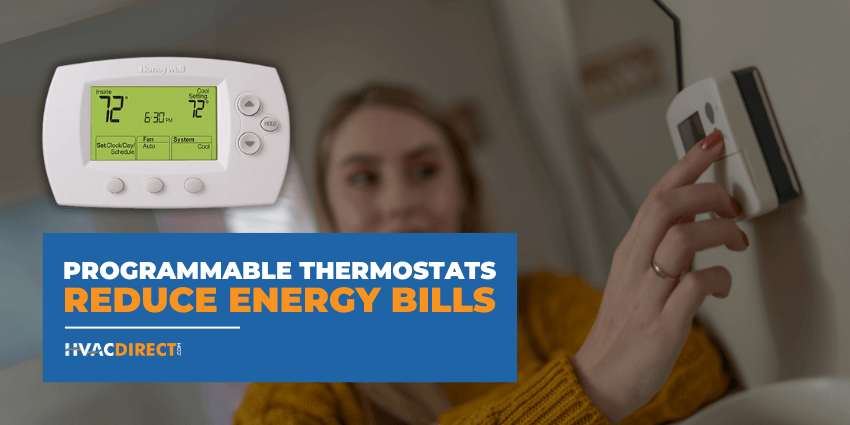
Programmable thermostats can reduce your utility bills if you use them correctly. According to the Department of Energy (DOE), you could save around $180 in energy costs depending on how you set your thermostat. To help you save as much as possible, we have some of the best tips below to help you get started.
Why Programmable Thermostats Matter
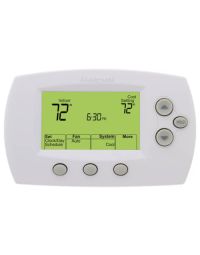
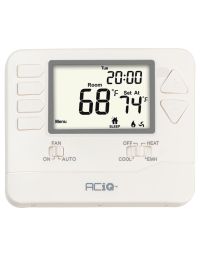
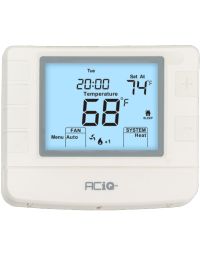
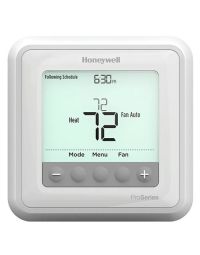
Programmable thermostats automate heating and cooling around your daily routine so your HVAC system runs only when needed. Used correctly, they can lower utility bills, keep comfort consistent, and reduce unnecessary wear on equipment.
- Energy savings: Avoids heating or cooling an empty home.
- Consistent comfort: Pre-heats or pre-cools before you wake or return.
- Less wear & tear: Reduces short cycling and extends system life.
Tips for Using a Programmable Thermostat
1) Timing
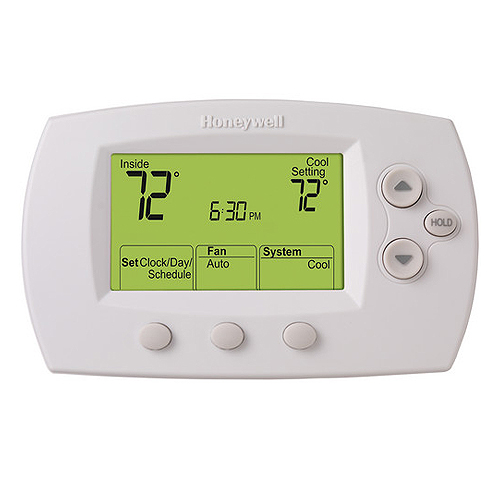
It is important that each time frame you set is around 8 hours or longer. If you set up time frames that are shorter, such as 4 hours, it might be cheaper to leave the settings the same instead of having the equipment slow down for a couple hours and then having to work harder to get the house back to regular comfort settings.
2) Heating Settings
When you are expected to be in the home, it is recommended that you set your temperature at a comfortable level below 70ºF. When you are typically at work or asleep, you should lower the temperature 8ºF.
3) Cooling Settings
The recommended setting for your air conditioner while you are home is 78ºF or higher. While you are asleep or away from the house, you should program the thermostat for 7ºF higher.
4) Thermostat Location
If you are installing the thermostat in the house, it is recommended that you install it in the middle of the house away from registers, appliances, fireplaces, windows, and doorways. This ensures that the thermostat will have an accurate reading throughout the day.
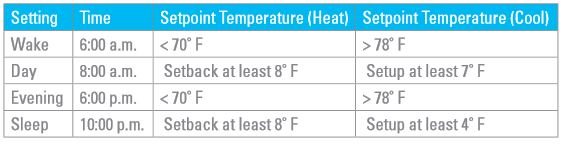
We have a table below that can help guide you on how to set up your thermostat. Feel free to use it as a starting point for how you want to set up your programmable thermostat.
Example Daily Schedule (Starting Point)
| Time of Day | Heating Setpoint | Cooling Setpoint |
|---|---|---|
| Wake | 68–70ºF | 76–78ºF |
| Day (away) | 60–62ºF (≈8º lower) | 82–85ºF (≈7º higher) |
| Evening | 68–70ºF | 76–78ºF |
| Sleep | 60–62ºF (≈8º lower) | 82–85ºF (≈7º higher) |
Conclusion: Start Saving with a Programmable Thermostat
A programmable thermostat is a simple upgrade that can lower energy costs, improve comfort, and reduce HVAC wear. Set longer dayparts, use recommended heating and cooling setpoints, and place the thermostat in a central, draft-free location for the best results.

 1. Timing. It is important that each time frame you set is around 8 hours or longer. If you set up time frames that are shorter, such as 4 hours, it might be cheaper to leave the settings the same instead of having the equipment slow down for a couple hours and then having to work harder to get the house back to regular comfort settings.
2. Heating Settings. When you are expected to be in the home, it is recommended that you set your temperature at a comfortable level below 70ºF. When you are typically at work or asleep, you should lower the temperature 8ºF.
3. Cooling Settings. The recommended setting for your air conditioner while you are home is 78ºF or higher. While you are asleep or away from the house, you should program the thermostat for 7ºF higher.
4. Thermostat Location. If you are installing the thermostat in the house, it is recommended that you install it in the middle of the house away from registers, appliances, fireplaces, windows, and doorways. This ensures that the thermostat will have an accurate reading throughout the day.
We have a table below that can help guide you on how to set up your thermostat. Feel free to use it as a starting point for how you want to set up your programmable thermostat.
1. Timing. It is important that each time frame you set is around 8 hours or longer. If you set up time frames that are shorter, such as 4 hours, it might be cheaper to leave the settings the same instead of having the equipment slow down for a couple hours and then having to work harder to get the house back to regular comfort settings.
2. Heating Settings. When you are expected to be in the home, it is recommended that you set your temperature at a comfortable level below 70ºF. When you are typically at work or asleep, you should lower the temperature 8ºF.
3. Cooling Settings. The recommended setting for your air conditioner while you are home is 78ºF or higher. While you are asleep or away from the house, you should program the thermostat for 7ºF higher.
4. Thermostat Location. If you are installing the thermostat in the house, it is recommended that you install it in the middle of the house away from registers, appliances, fireplaces, windows, and doorways. This ensures that the thermostat will have an accurate reading throughout the day.
We have a table below that can help guide you on how to set up your thermostat. Feel free to use it as a starting point for how you want to set up your programmable thermostat.