Key Takeaways
- Confirm the Exact Display: LP, PC0L, P5, P6, E7, and a dash display can mean different things across Midea equipment families.
- Use One Mode: Indoor heads sharing a conventional multi-zone condenser must not call for heating and cooling at the same time.
- Do Not Guess at Parts: If synchronizing modes does not clear the display, check the model manual because LP may instead be a low-temperature protection or equipment-matching condition.
An LP message on a Midea mini split can be confusing because the same letters are not defined identically across every product family, controller, and generation. On some Midea-derived systems, an LP-related complaint is discussed alongside multi-zone conflicts. In Midea multi-zone service literature, however, LP or PC0L commonly identifies low outdoor ambient temperature protection, while an indoor-unit mode conflict may appear as P5, P6, E7, or two dashes.
That distinction matters. A mode conflict is often corrected from the remotes in a few minutes. Low-temperature protection is an operating-limit or sensor issue that should not be treated by repeatedly changing modes. Always record the complete display and model numbers before troubleshooting.
What Does the Midea LP Error Code Mean?
Start with the manual for the exact indoor unit, outdoor unit, and controller. Midea manufactures many equipment families, and private-label systems may use related hardware with different display conventions.
- LP or PC0L: Commonly documented as low outdoor ambient temperature protection on Midea multi-zone equipment.
- P5, P6, E7, or dashes: Used by different families or controllers for an indoor-unit operating-mode conflict.
- LP on some controllers or private-label equipment: May refer to unmatched indoor/outdoor equipment rather than a temperature lockout.
If the system stopped immediately after one head was changed from Cool to Heat, a mode conflict is a strong possibility. If the code appeared during exceptionally cold weather without anyone changing modes, low-ambient protection is more likely. The model manual is the deciding reference.
How Does a Multi-Zone Mode Conflict Happen?
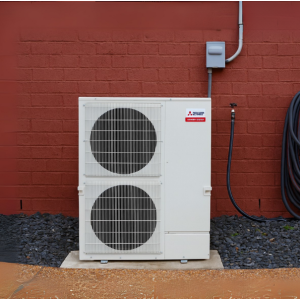
A conventional multi-zone heat-pump condenser connects several indoor air handlers to one outdoor refrigeration circuit. Each room can have its own temperature and fan setting, but the shared outdoor unit generally must operate in one refrigeration mode at a time.
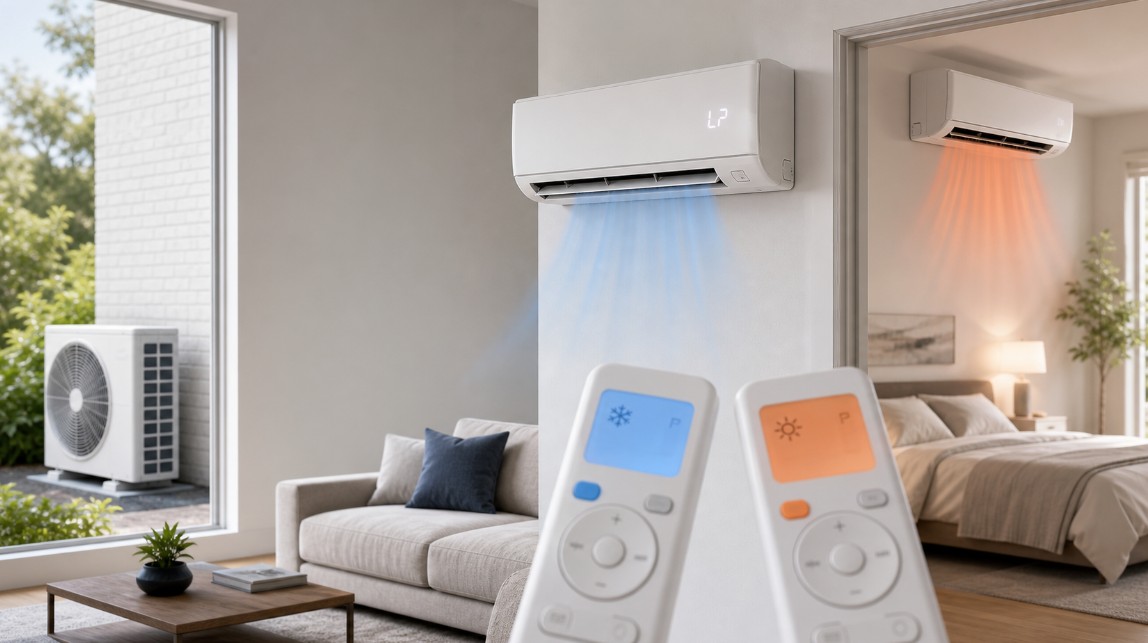
A conflict occurs when one active indoor unit requests heating while another requests cooling. Midea service information commonly gives heating priority: a head already heating can continue, while a head requesting cooling or fan-only operation may enter standby. On other configurations, the system may stop the conflicting head and display a code or dashes.
Auto mode can also create confusion. Two heads in Auto may independently decide that they need opposite modes. For troubleshooting, choose Heat or Cool manually on every active head.
How to Troubleshoot an LP or Multi-Zone Conflict Step by Step
- Record the full message. Photograph every indoor display, wired controller, and the outdoor-board display if it can be viewed without removing a panel. Distinguish LP from PC0L, P5, P6, E7, and dashes.
- Record all model numbers. Note the outdoor condenser model and every connected indoor-unit model. Do not assume one manual covers the entire system.
- Turn every indoor head off. Use the remote or wired controller. Do not begin by opening equipment panels.
- Select one common operating mode. Choose Cool for every active zone during cooling season or Heat for every active zone during heating season. Avoid Auto and fan-only mode during this test.
- Set practical temperatures. In cooling, set each active head several degrees below room temperature. In heating, set each several degrees above room temperature so their calls agree.
- Wait for the protection delay. Mini splits commonly delay compressor operation for approximately three minutes after a command or restart. Do not repeatedly press buttons during this period.
- Restart zones one at a time. Start one head, confirm operation, and then start the next head in the same mode. If the display returns after a particular head starts, record which zone triggered it.
- Perform one controlled power reset if permitted by the manual. Turn the system off with its controllers, switch off the dedicated disconnect or breaker, wait at least five minutes, restore power, and allow the system to initialize. If you are not comfortable identifying the correct circuit, stop and call a professional.
- Recheck outdoor conditions. If the display is truly LP or PC0L and outdoor temperature is below the equipment's operating range, the unit may be protecting itself normally. Clear loose snow or debris around the outdoor unit without chipping ice from the coil.
- Stop if the code returns. A persistent code can involve a temperature sensor, mismatched equipment, communication wiring, configuration, or another condition requiring model-specific testing.
Safety Note
Homeowners can synchronize controller modes, clean filters, clear safe exterior airflow obstructions, and perform one controlled reset. Refrigerant work, live-voltage testing, control-board access, wiring changes, and sensor diagnosis should be performed by a qualified HVAC technician.
Midea Multi-Zone Mode-Conflict Matrix
| Existing System Mode | New Zone Request | Likely Result |
|---|---|---|
| Cooling | Cooling or Off | No conflict |
| Cooling | Heating | Mode conflict; heating may take priority |
| Heating | Cooling or Fan | New zone may enter standby |
| Heating | Heating or Off | No conflict |
| Off | Heat, Cool, Fan, or Off | No conflict until another active head requests an incompatible mode |
What If Synchronizing the Modes Does Not Work?
If every head is definitely in the same mode and the display remains, do not keep resetting the system. Provide the technician with the display photos, outdoor and indoor model numbers, outdoor temperature, which zones were active, and whether the problem began after installation, maintenance, a power interruption, or a mode change.
When Should You Call an HVAC Technician?
- The code returns after one controlled reset.
- The indoor and outdoor model combinations have not been verified as compatible.
- One zone repeatedly triggers the fault.
- There are communication codes, breaker trips, unusual noises, burning odors, ice buildup, or water leakage.
- The outdoor temperature is within the published operating range but LP or PC0L persists.
- Diagnosis requires opening an electrical or refrigerant compartment.
Midea LP and Mode-Conflict Frequently Asked Questions
What does LP mean on a Midea mini split?
The meaning is model-specific. Midea multi-zone service manuals commonly use LP or PC0L for low outdoor ambient temperature protection, while other controllers or related equipment may use different definitions. Confirm the manual for the exact model.
Can a Midea multi-zone mini split heat and cool different rooms simultaneously?
A conventional multi-zone heat-pump system sharing one outdoor unit generally cannot heat one zone while cooling another. Individual temperatures can differ, but active heads must use a compatible operating mode.
Why does one indoor head show dashes and stop?
On some Midea families, dashes indicate that the indoor unit is waiting because another head has requested an incompatible mode. Set all active heads to Heat or all to Cool and wait through the protection delay.
Will turning off one zone clear a mode conflict?
It often will if that zone was making the incompatible request. A more reliable test is to turn all heads off and restart them one at a time in the same manually selected mode.
Should I replace a control board when LP appears?
No part should be replaced based only on the letters LP. Verify the exact model-specific definition and complete the appropriate diagnostic procedure first.
The Bottom Line
The fastest safe response to a suspected Midea multi-zone conflict is to record the exact display, turn all heads off, select one common Heat or Cool mode, restart zones one at a time, and wait for the normal protection delay. If the display is truly LP or PC0L, verify the model manual because it may indicate low-ambient protection rather than a mode conflict.